A text header displays one or more lines of text.
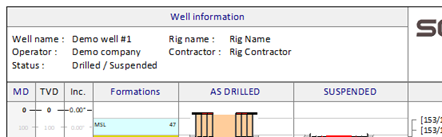
The appearance of the column type can be modified with the editor shown below.
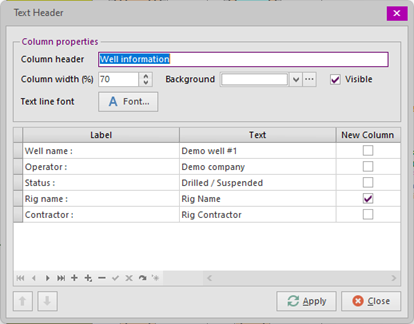
Most settings are assumed to be self-explanatory. A text line comprises a Label and a Text. Both can be freely defined. All Texts will be drawn left-aligned in the column, based on the longest Label. The New Column field will make the text line appear in the next column.
Note that setting the 'Text line font', as well as the text lines and new columns will not influence the size of the Text Header. If the text exceeds the size of the text header, either the header must be resized or a smaller font must be set. The header can be resized by setting the Column width percentage or the Header height percentage.
Copyright © 2026 Softdrill NL