|
|
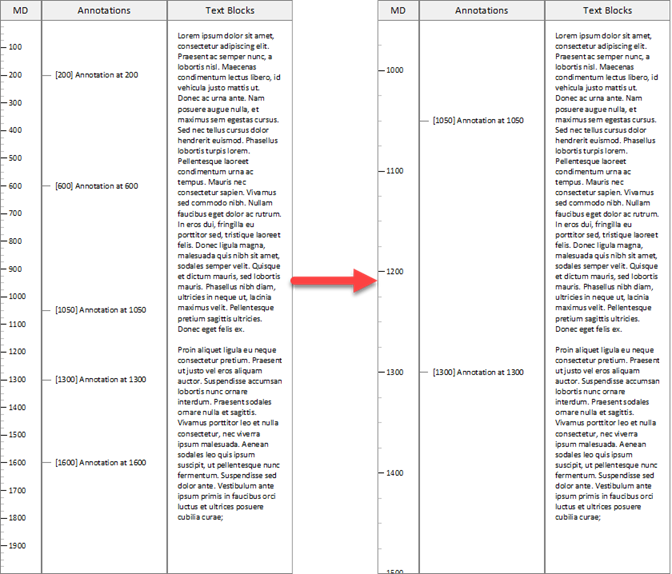
The Text Blocks column provides a way to present blocks of text independent of column scaling. In other words, regardless of the depth range selected to display the well sketch, the text blocks are simply drawn from top to bottom.
This is shown below. On the left an Annotation column and a Text Blocks column are shown on a scale of 0 to 2000. Once the scale is changed from 950 to 1500, as shown on the right, only the Annotations within the new depth range are show (in the correct scaled position). The Text Blocks however, are simply redrawn from to bottom.
Text Blocks columns are typically used for historical information on a well, high-level operational outlines, etc.
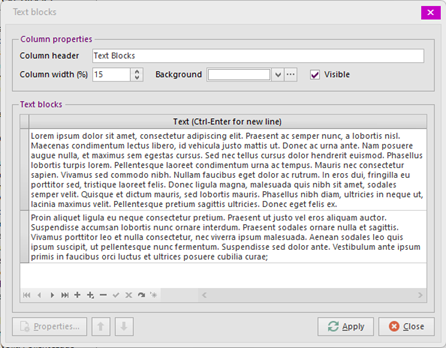
The column editor is straightforward. Simply add a row in the grid for each text block to be displayed.
Using the Properties button, font settings for one or more text blocks may be changed.
|


Copyright © 2026 Softdrill NL