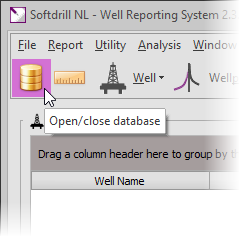
To connect to a database, select [File] - [Connect to database...] from the main menu or click the database button of the tool bar.

This will show the database connection dialog box.
.png)
|
Database alias |
|
|
Short name for selecting a database and related settings. On installation of WellRep, two default aliases are created: WellRep_Local and WellRep_Remote. Both are defined for the same database location but with different connection types.
Unless you separately installed the Advantage Database Server (Client/Server version), select the WellRep_Local alias. |
|
|
|
|
.png)
.png)
.png)
.png)
|
Database connection type |
|
|
Type of database connection for selected alias. An explanation of connection types is given here. |
|
|
|
|
.png)
.png)
|
Alias settings file |
|
|
Name of file storing all database aliases and settings. Tip: within a network, transfer this file to quickly arrange all computers having the same aliases to the same databases. |
|
|
|
|
.png)
.png)
|
Database user name |
|
|
User name for database log in. For a new (empty) database the default user name is Admin |
|
|
|
|
.png)
.png)
.png)
.png)
.png)
.png)
.png)
.png)
.png)
.png)
After successfully connecting to a database, the status bar on the bottom of the main form will information on the connected database.
 It is strongly recommended to change the password for the default Admin user and define additional user accounts for day-to-day working in the database. Refer to Database user maintenance for further details.
|
Copyright © 2023 Softdrill NL |