The function to calculate the entire well is available through the [File] - [Calculate entire well...] option in the main menu or the context menu (right-click) of well selection grid on the main form.
The following dialog box will appear:
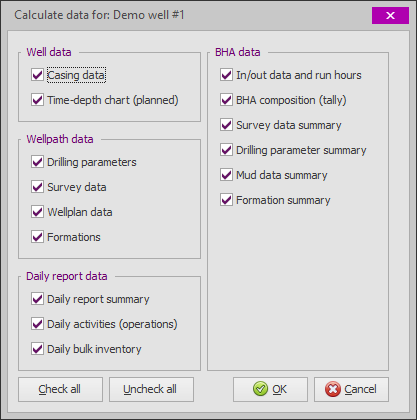
The data sections to calculate may (optionally) be excluded by unchecking the related checkbox. However this is not recommended as it may lead to incorrect and inconsistent (summary) data. On a normal computer and for an average well, this function will complete reasonably fast (a progress bar will be displayed to indicate progress).
The sections are calculated in the order as displayed in the dialog from the left, down and then to the right:
1.Well data
2.Wellpath data
3.Daily report data
4.BHA data
 This function is not the same as performing a calculate on the Well Form! Calculating the well form will only calculate the data directly related to the well (i.e. casing data and time-depth curve data). This function will calculate all well related data (including wellpaths, BHA's and daily reports) in the correct order.
Before calculating the well, ensure all BHA's are unlocked so that summary data can be overwritten with calculation results. Only legacy BHA's for wells that have no "raw" data (such as daily activities, survey data, drilling parameters, etc.) should have locked sections.
 After completing all data entry for the well and before printing the final well report, it is good practice to execute this function at least once to ensure all data is correct and consistent.
|
Copyright © 2023 Softdrill NL |