.png)
|
Backload menu |
|
|
When equipment is returned (backloaded) from location, it is often required to provide a record of what is to be sent. As from version 2.5.1, the manner in which backloads are handled has been changed. The [Backload] menu is accessed through the toolbar button highlighted in the above image.
In the Equipment or Accessory Inventory, the Off Location date can no longer be edited. However, in the Backload column a predefined backload may be selected from a drop-down list. Backloads can be defined through the [Manage backloads...] menu option as described below.
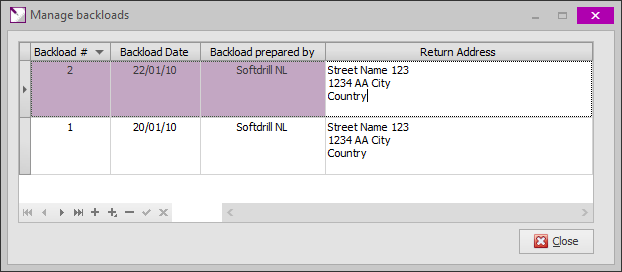
The [Manage backloads...] option brings up a dialog box in which backloads may be defined. For each backload, a unique number (identifying the backload) must be entered in the Backload # column. The value in the Backload Date column does not have to be unique (multiple backloads on the same day may occur), but must not be left blank. This date is used to update the Off Location date when the value in the Backload column is set or changed.
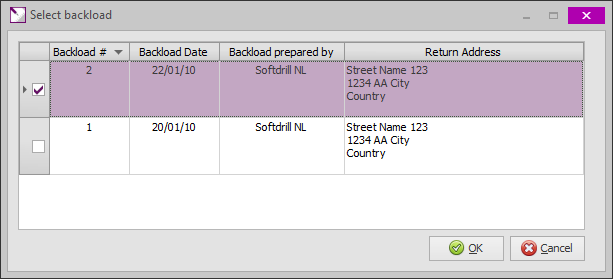
As it would be cumbersome to manually select a backload for each individual tool to be returned from location, the [Set backload...] and [Clear backload] menu options are provided. Select one or more tool records in the Inventory (using Shift-Click or Ctrl-Click) and then select [Set backload...] or [Clear backload]. Whilst the latter option will clear the Off Location date and Backload for the selected records in the inventory, the first will bring up the dialog below. Select the backload record and click [OK] to update the selected records to the selected Backload and Backload (Off Location) date.
|
.png)


To print one or more backload lists, please refer to Backload Report
|
Copyright © 2023 Softdrill NL |